
Ads Intelligence

From product catalogueto advertising activation.

Combine your catalogue information with advertising metrics. Create product groups and prepare their activation using Google Merchant Center labels.

Analyse and segment the catalogue

Read performance at product level and define your scope.

Spot the products that deserve your attention.

Choose a GMC catalogue and period, then use filters to refine your selection. The interface brings together clicks, costs, conversions, conversion value, CPA and ROAS. Filters provide the basis for creating product clusters.
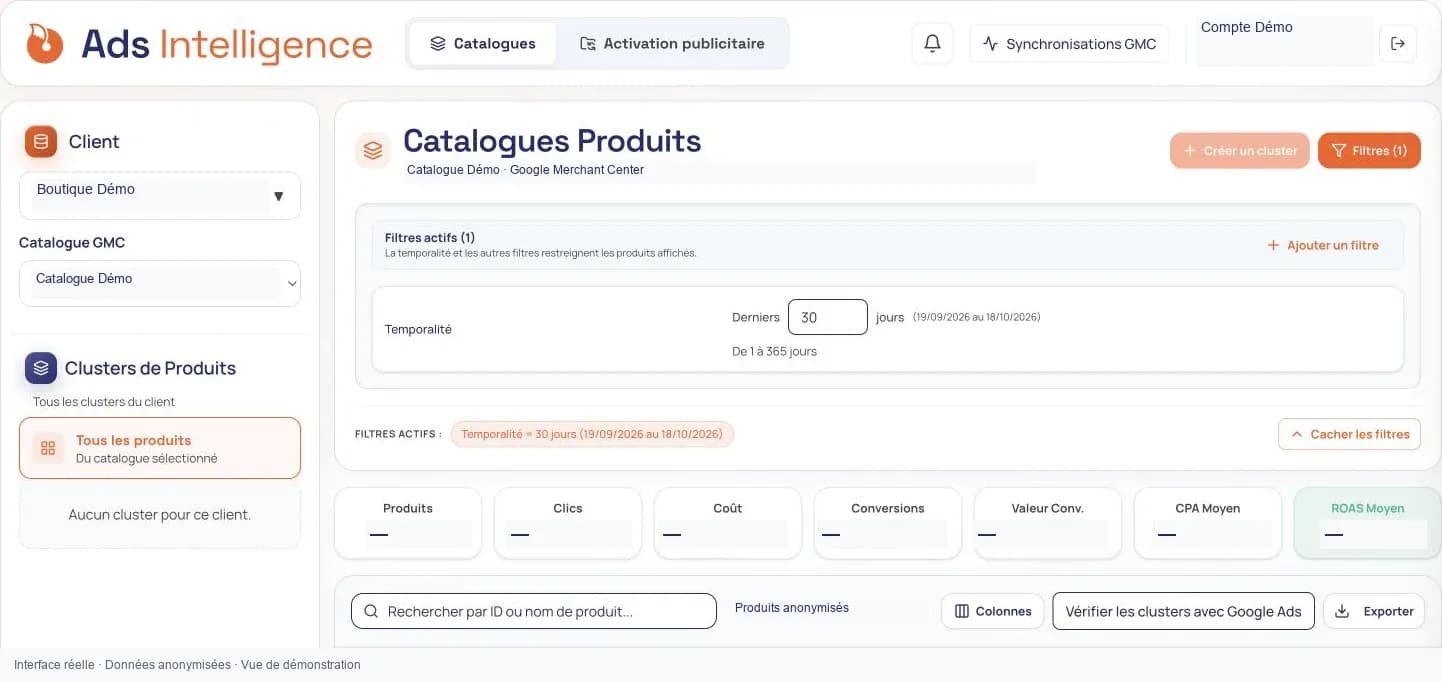
Ads Intelligence: catalogue selection, filters and metrics with values hidden.
Anonymised screenshot · Performance figures and customer volumes have been hidden.

Prepare advertising activation

Organise the distribution of your product groups to Merchant Center.

Connect clusters to an activation.

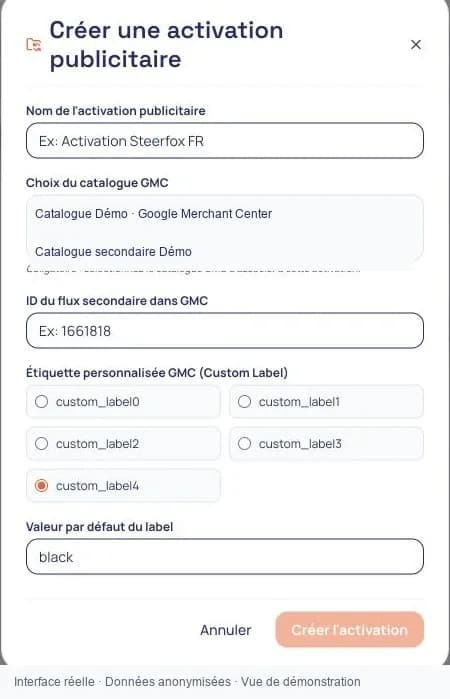
Configure the GMC catalogue, supplemental feed and custom label used for segmentation. The activation area is designed to manage supplemental write feeds and cluster priorities.

Ads Intelligence: activation creation form with catalogue, supplemental feed and custom label.
Application screenshot · Anonymised data. Click to enlarge.